NEW!
FULLY RE-DESIGNED AS A BLAZOR APP
Auto Call Back
Eliminate phone tag. When an extension is busy, Auto Call Back monitors availability and connects you the moment they’re free—automatically.
Opt-In Callback
Callers decide when they want the system to monitor and connect. It’s a helpful feature—not an intrusive one.
Professional Prompts
Upload pre-recorded audio so the experience sounds clean, consistent, and polished.
Reduce Lost Time
Auto Call Back removes the repeated dialing loop and gets people connected faster—without extra manual steps.
Built for Admins
Manager login only, clear settings, clear install path, and a predictable service model.
Now Powered by AI!
Let callers opt into an automatic callback when you’re busy.
Auto Call Back is built for busy 3CX teams—IT, dispatch, service desks, sales, and operations—where reaching the right person quickly keeps work moving.
Without it, the process is clunky: wait, hang up, redial, repeat. People get interrupted at the wrong time, handoffs get missed, decisions slow down, and small delays stack up fast.
Auto Call Back eliminates the back-and-forth. With one simple opt-in, callers are automatically connected when the right person is available.
Features
- Opt-in callbacks from busy extensions
- Auto-connect the moment they’re available
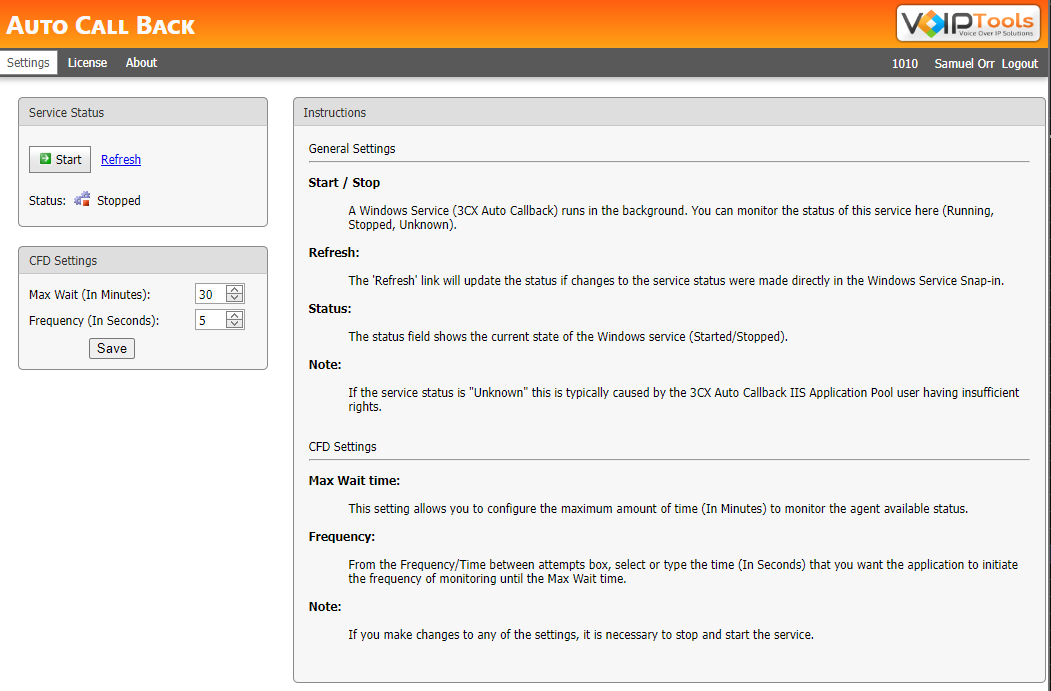
- Configurable max wait + monitoring frequency
Benefits
Save time every day
Eliminate repeated attempts to reach a busy extension—especially in high-interaction environments.
Increase responsiveness
Connect as soon as the person is available, which speeds up decisions, approvals, and internal handoffs.
Reduce interruptions
Because it’s opt-in, it respects workflow and keeps the experience professional.
- 3CX version 12 and above
- Client: Internet Explorer, Google Chrome, Firefox, Opera browsers
- Server: Windows 7 Pro (64bit) and above, Windows Server 2008 R2 (64bit) and above
- Internet Information Server (IIS) 7.0 and above
- Microsoft SQL Server 2008 (free Express edition) and above
- Microsoft .net 4.6.1 and above
- VoIPTools Relay installed on 3CX server
Note: You can run IIS and NGIX or Abyss on the same server
March 28, 2025
- CFD Code Change & Callback Publishing Issue:
- The application’s auto-call feature performed a CFD code change.
As a result, the CFD was not publishing the callback.
This has been updated to use port number 7850, as 3CX expects only numeric values, not words, in its system extension.
- The application’s auto-call feature performed a CFD code change.
- Voicemail Transfer Fix:
- Previously, when pressing 2 to transfer a voicemail, the call would hang up. This issue has been resolved, and voicemail transfer now works as expected
March 27, 2024
- Initial v20 Release
Got A Question?
Get In Touch With Us
Whether through one of our commercial products, or a custom solution built to meet your specific needs, we can help you get the most out of your 3CX investment.
Support@VoIPTools.com
Live Chat
+1 801-642-4655
24/7 Support