3CX
Active Directory Sync
Keep 3CX perfectly in sync with Active Directory—automatically.
Stop security gaps immediately
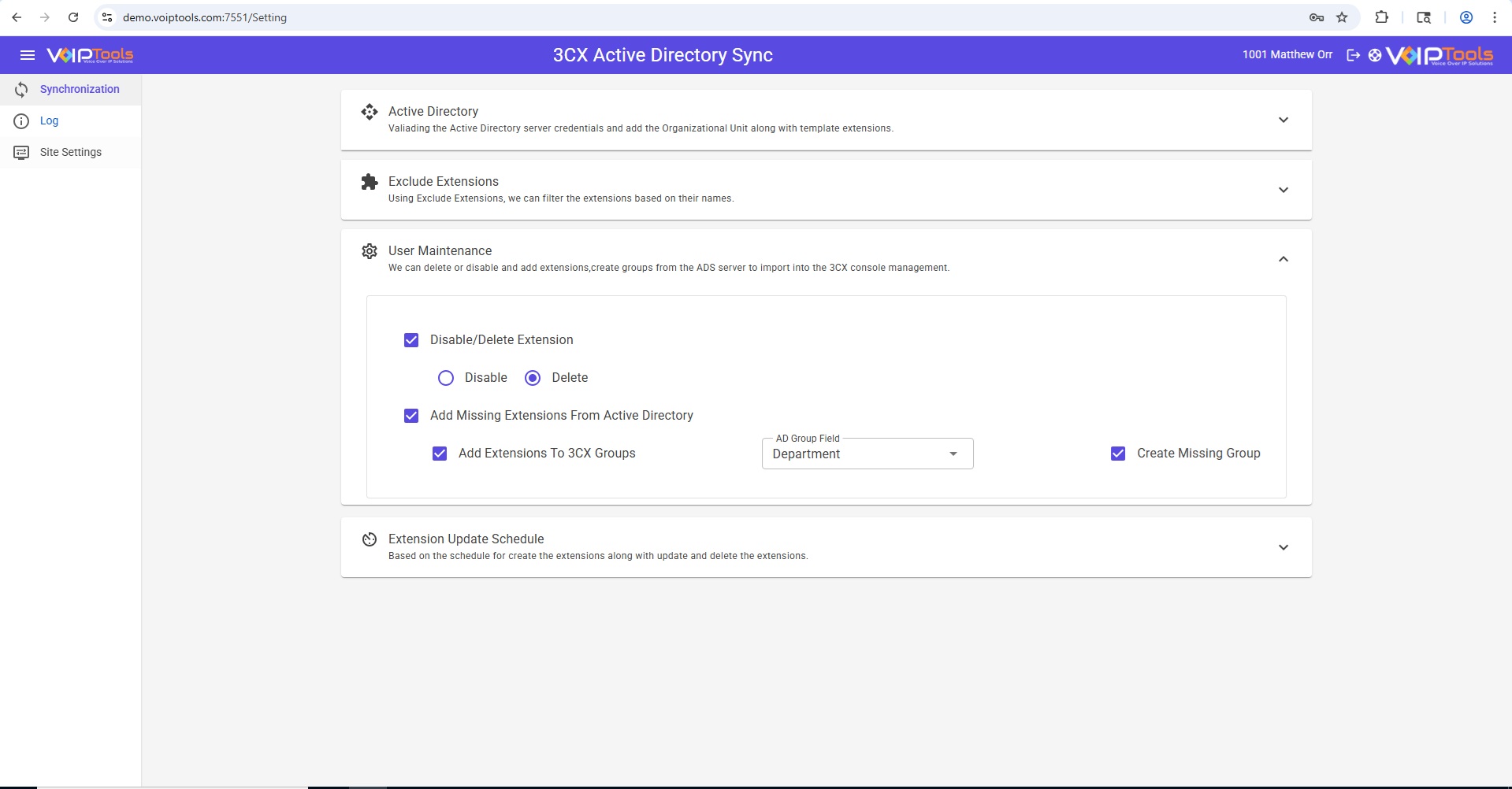
When an employee is removed from AD, their 3CX access can be removed right away—no waiting for a manual cleanup.
Save real IT time (and prevent “tiny” mistakes)
No more repetitive extension maintenance. Fewer human errors. Less firefighting.
Protect your compliance and your history
Archive voicemails and recordings before deactivation so you don’t lose critical communications.
Scale without pain
Works whether you have 10 users or 10,000—your process stays the same, just automated.
Your 3CX user management, fully automated from Microsoft Active Directory.
Every org says they’ll “update the phone system later.” Then someone leaves, their extension still works, voicemails get lost, and IT burns time chasing small changes that never end.
3CX Active Directory Sync eliminates the busywork and the risk by keeping 3CX aligned with AD—continuously, on a schedule you control. It securely connects to your domain via LDAP, compares AD users/extensions against 3CX, and automatically handles mismatches so your phone system reflects reality without manual cleanup.
Add new hires faster. Remove ex-employees immediately. Keep names, emails, and extension-related details consistent. And when you deactivate an extension, you can archive critical voicemails and recordings first so you stay compliant and don’t lose evidence, history, or customer context.
Set it once. Trust it every day.
Features
- Automated Sync
- Access Revocation
- User Provisioning
- Scheduled Runs
- Voicemail Archiving
- Recording Archiving
- Group Mapping
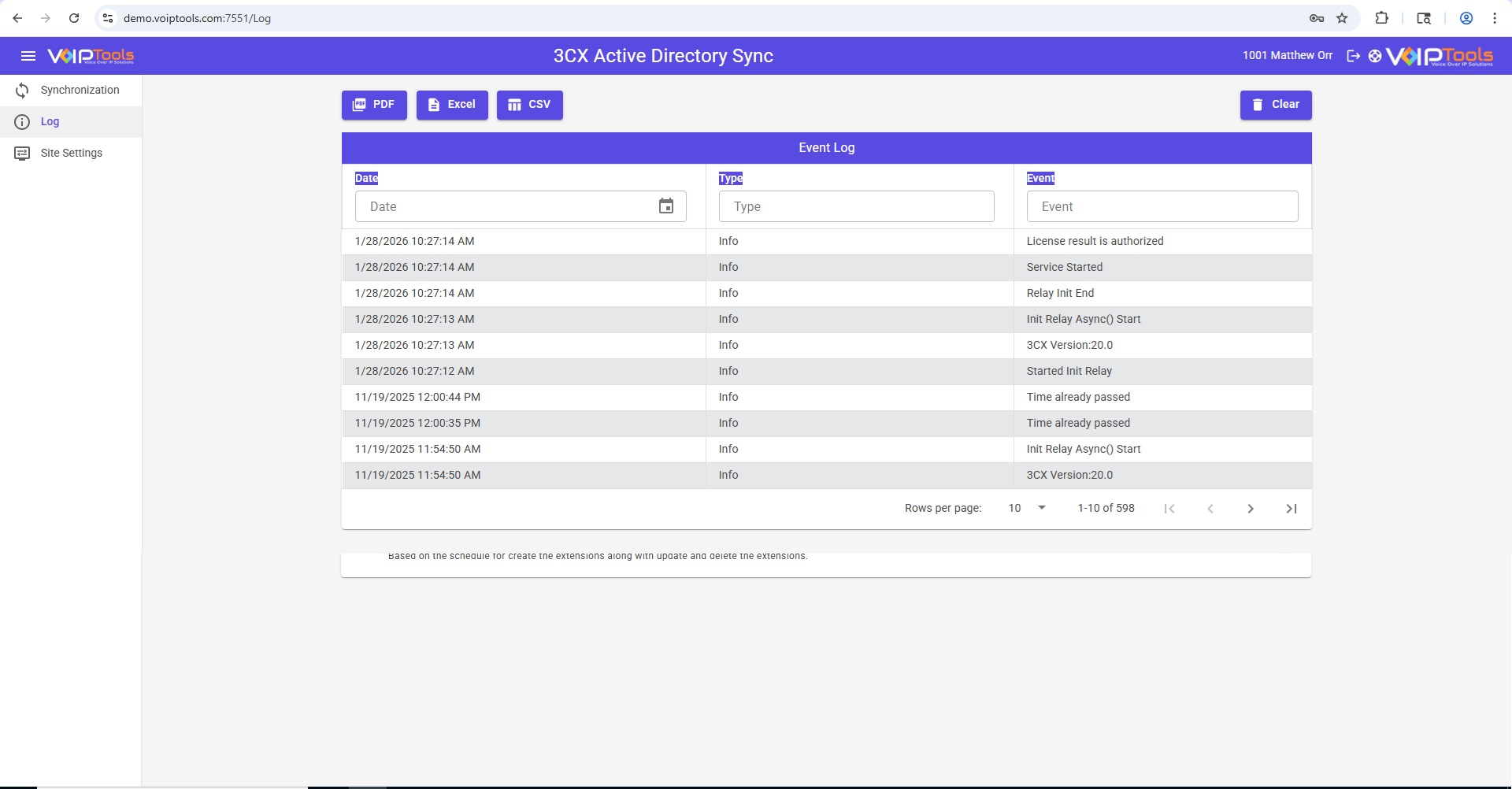
- Event Logging


3CX Version: V20
OS: Windows 10+ or Windows Server 2012+
Web server: IIS (VoIPTools configuration)
Framework: .NET Framework 4.7.2
VoIPTools components: Universal Updater, Relay Service
Database: Microsoft SQL Server 2016+ (SQL Express supported)
Networking: Static IP recommended for VoIPTools + 3CX servers; HTTPS recommended (FQDN for SSL/TLS validation)
Ports:
TCP 8801 for Relay communication (required in setup)
Port 7550 opened on your device (as stated in your prerequisites list)
v20
March 7, 2024
- Initial v20 release
v18
June 14, 2024
- Template extension is now optional.
- Added options to use a web client password or a phone password on the login page.
- Changes make to the Active Directory user information (eg, First Name, Last Name, Mobile Number, Email Address, etc.) will be reflected in th3 3CX extension.
December 22, 2023
- Managers can now assign users to the organization unit.
- Managers can now add users to the 3CX system without relying on the templates extension.
- Various cosmetic changes.
January 18, 2023
- Now supports JWT.
- Separated test SQL and test tool into two separate buttons.
- Now use the advanced installer.
Got A Question?
Get In Touch With Us
Whether through one of our commercial products, or a custom solution built to meet your specific needs, we can help you get the most out of your 3CX investment.
Support@VoIPTools.com
Live Chat
+1 801-642-4655
24/7 Support