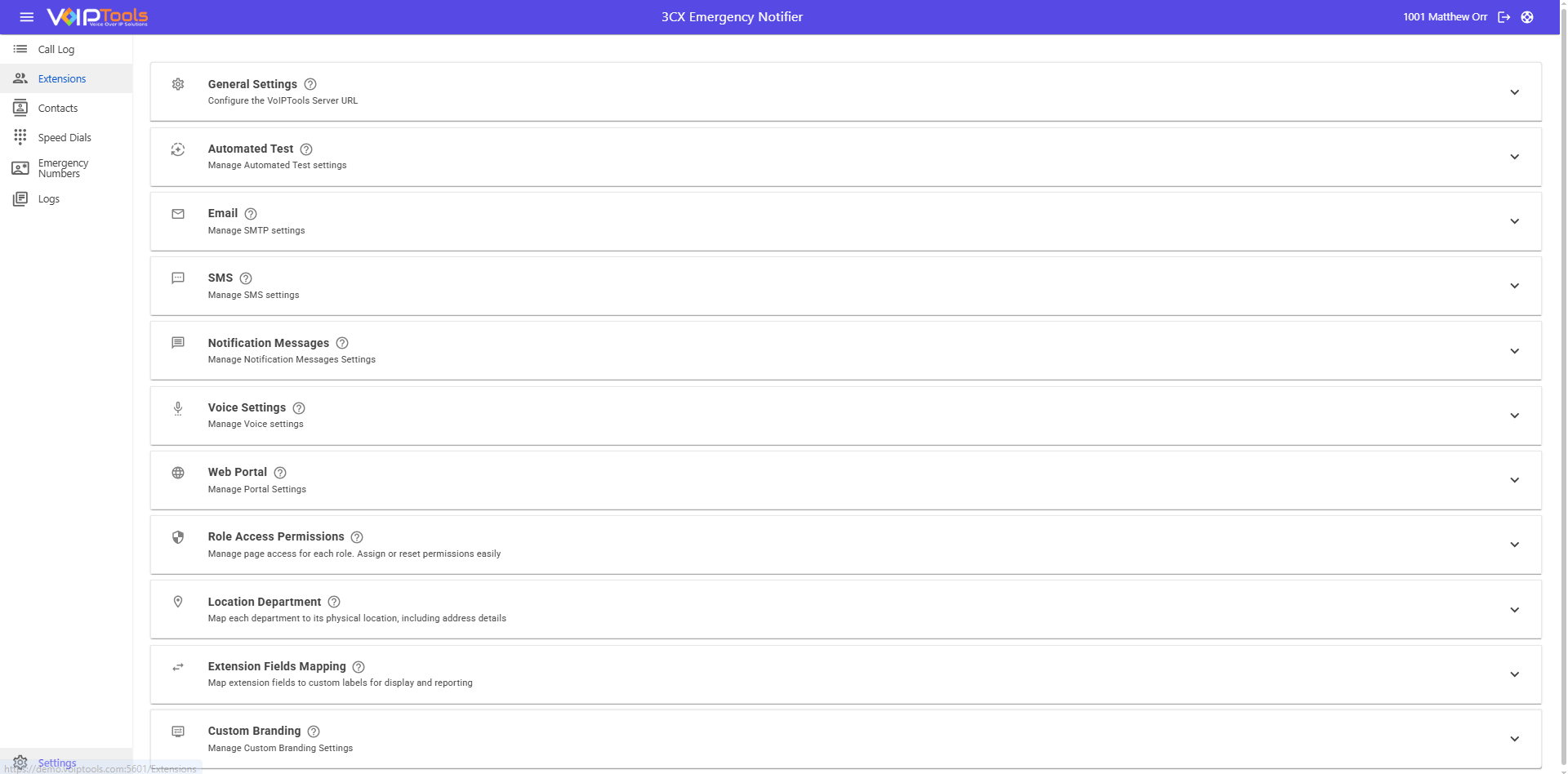
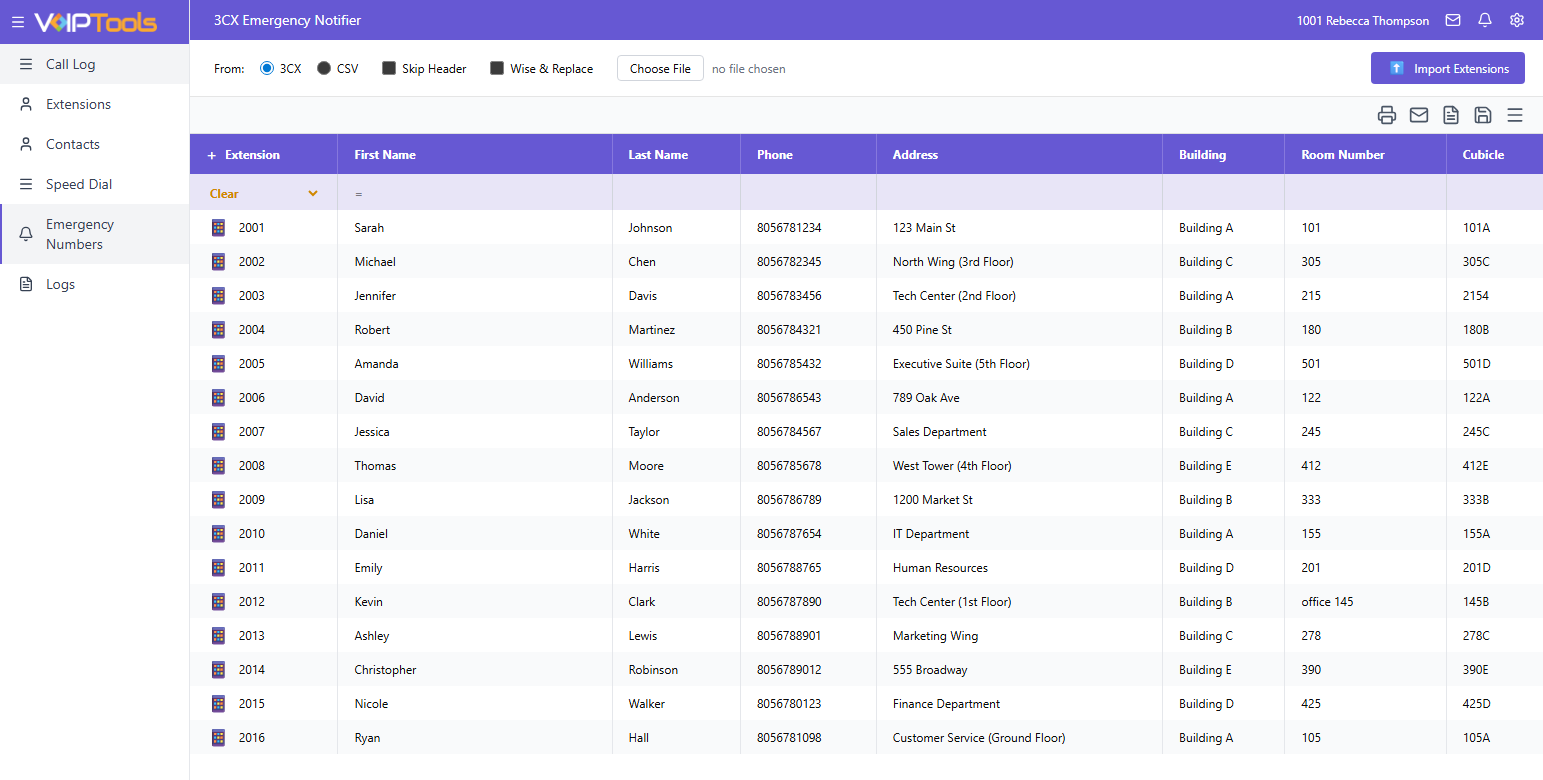
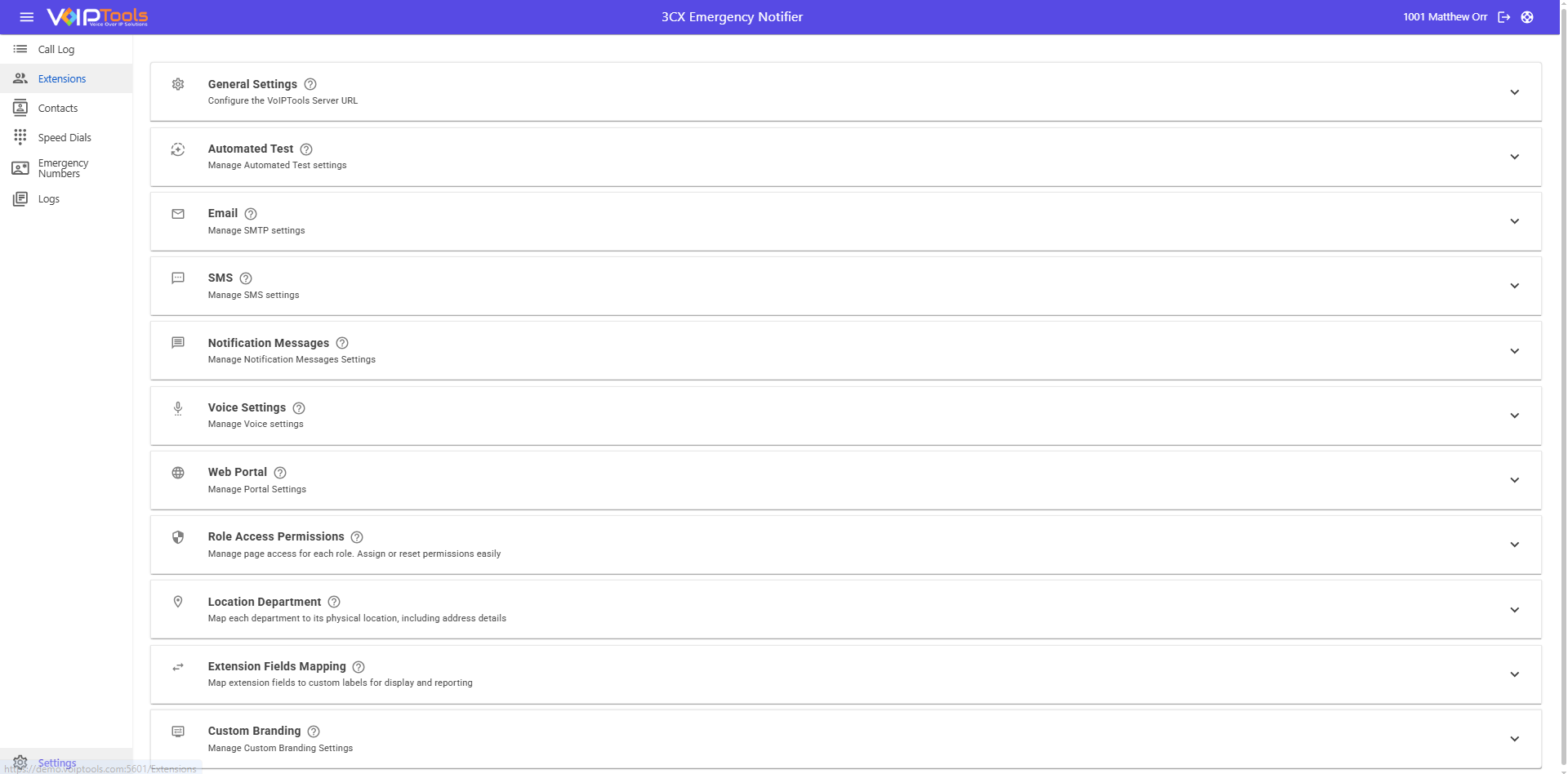
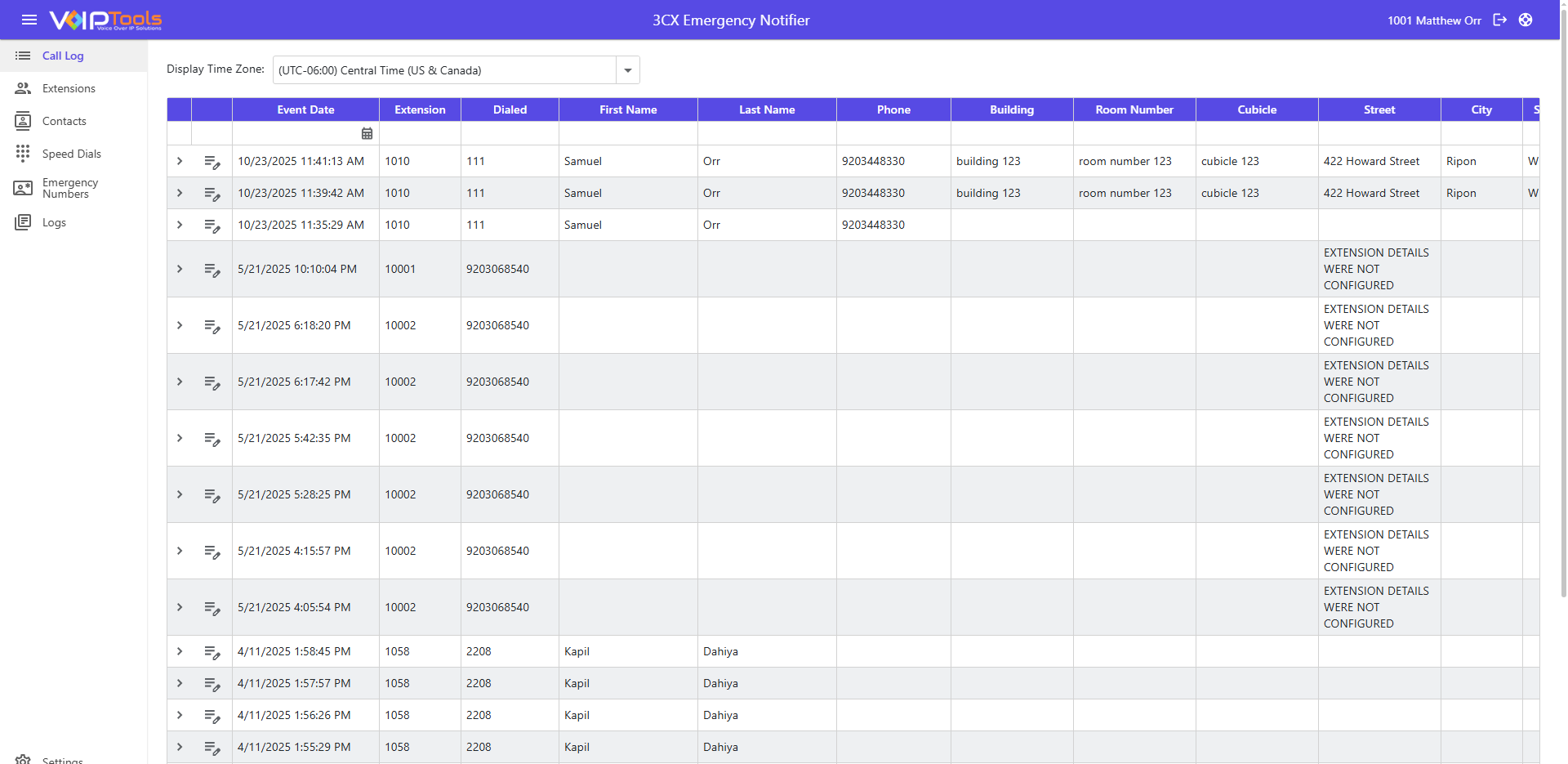
Now redesigned with a modern Blazor-based UI
Emergency Notifier
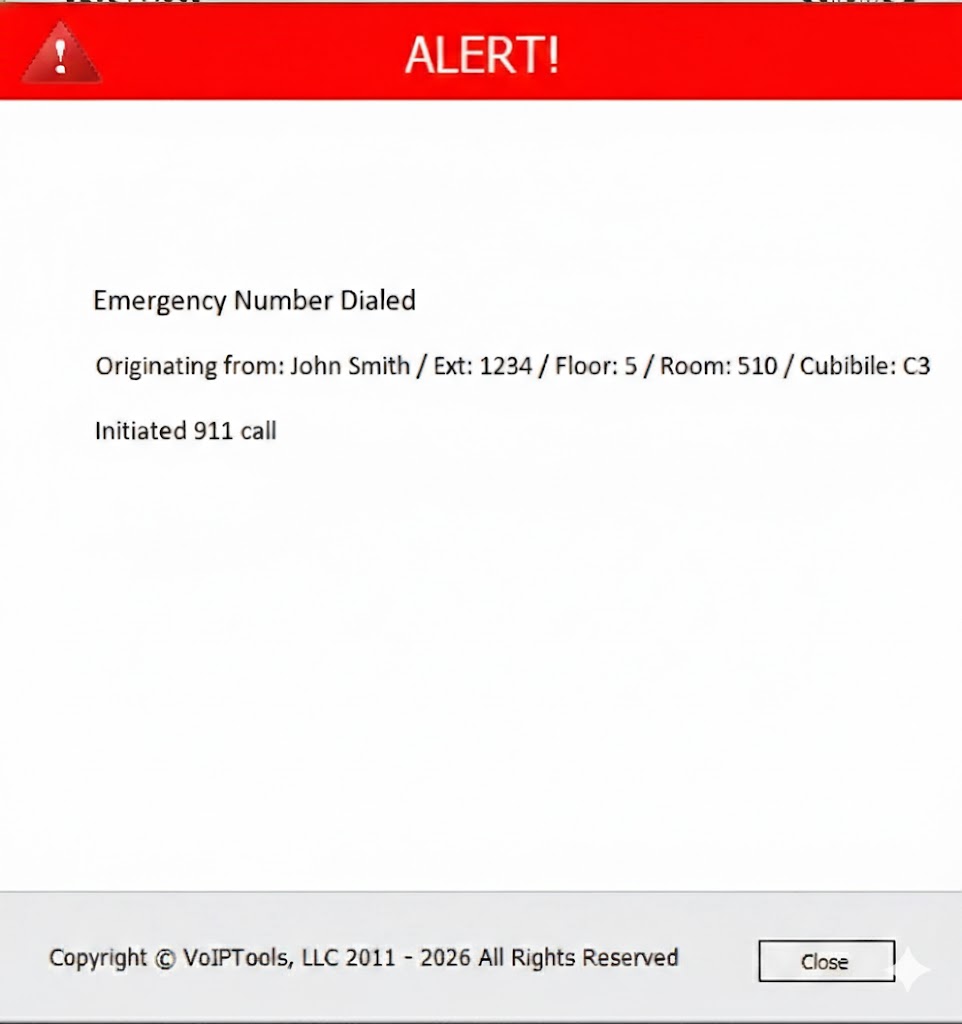
Instantly identify who dialed an emergency number, pinpoint their exact location, and alert the right responders—automatically. Get immediate visibility (building/address/floor/zone) and notify responders through desktop pop-ups, SMS/text, phone calls, and email. Add one-touch panic buttons, audible or silent alarms, and location-based routing so staff only get alerts for the locations they’re responsible for.
Location-Aware Routing
Notify responders by location—so a grade school incident doesn’t spam staff across town at the high school. Admins can subscribe to all locations when needed.
Precise Location Details
See exactly where the emergency is occurring: address + building + floor + area/zone (pillar/cubicle/room—your naming).
Roaming Staff Support
For users who move between sites, IP range mapping can automatically update their active location so responders go to the current site.
One-Touch Alarms
Trigger panic buttons and audible alarms from a programmable phone button. Press once to activate, press again to deactivate (with optional repeat for noisy facilities).
Now redesigned with a modern Blazor-based UI
Faster, More Reliable Emergency Response
Emergency Notifier gives your organization instant awareness the moment an emergency number is dialed. Instantly see who called and exactly where they are, then automatically alert responders through desktop pop-ups, SMS/text, phone calls, and email—ensuring the right people know immediately.
Built for schools, enterprises, and multi-building facilities, Emergency Notifier adds location profiles, location-based alert routing, and advanced emergency types (public-safety, internal, and test) so you get fast response without alert fatigue.
Features
- Automatic Notifications (desktop pop-up, SMS/text, phone call, email, paging)
- Caller Identification
- Location Profiles (create once, reuse for all users/extensions)
- Location Visibility (address + floor/zone/room fields)
- Location-Based Alert Routing (notify only the right site/team)
- Roaming User Auto-Location (IP range mapping)
- Event Logging + Notes
- Call Transcription (optional)
- Multi-Site Support
- 3CX Department → Location Mapping
- Panic Buttons
- Audible Alarms + Silent Alarms
- Speed Dials (pre-recorded messages, repeat/loop options)
- Emergency Types (Public-Safety / Internal / Test)
- Scheduled Automated Test Alerts
- Custom WYSIWYG Templates + Variables + Procedures
- Granular Role-Based Permissions
- Carrier Exporting
New! Now you can configure emergencies by type, location, and audience—plus program phone buttons for instant actions.
Phone buttons can trigger:
Panic alerts (notify specific responders)
Continuous alarms (Fire / Tornado / Evacuation) over paging + phone speakers
Silent alerts (notify without audible alarm)
If your VoIP phone has programmable buttons, you can initiate alarms instantly. Don’t have programmable buttons? No problem—you can still dial the extension associated with the desired alarm.
Location Profiles & easier maintenance
Create Locations once (address + floor/zone details) and assign users/extensions from a list—no more retyping the same address for hundreds or thousands of users.
Roaming employees / shared campuses
Need to support staff who move between buildings? Use IP ranges to automatically update a user’s active location so alerts route to the correct site.
Emergency types + scheduled testing
Separate public-safety alerts (police/fire), internal alerts (on-site assistance / hazards), and test alerts. Run scheduled tests to confirm delivery and templates without alarming the entire organization.
Know immediately who dialed an emergency number—and who needs to respond.
Whether you manage one site or a district/campus of buildings, Emergency Notifier provides instant caller identification, precise location details, and targeted notifications that reach the right people fast.
Emergency Notifier can notify:
Any phone number you add (calls)
Any email address you add
Any mobile number (SMS/text)
Desktop pop-ups (Windows) for immediate visibility
Alerts include:
Who called (extension + user details)
Where (address + building/floor/zone details)
What to do next (procedures embedded in the alert)
Full history (event logs, who was notified, how, and notes)
Manage contacts, locations, templates, and permissions from a modern web portal—so your response is faster, clearer, and more reliable when every second counts.
- 3CX version 20, update 6 and above
- Client: Internet Explorer, Google Chrome, Firefox, Opera browsers
- Server: Windows 10 Pro (64bit) and above, Windows Server 2019 (64bit)
- Microsoft SQL Server 2019 (free Express edition) and above
- Microsoft .net 9 and above
- VoIPTools Relay installed on 3CX server
v20.0.2 – August 16, 2024
- Emergency Number Tab:
- External Tab: Displays the emergency numbers published from 3CX.
- Internal Tab: Lists emergency numbers for internal departmental use only and does not publish them to 3CX.
- Speed Dials:
- Added a text-to-speech feature. If no audio is selected, and the client types a message in the message tab, hitting the update button will enable the text-to-speech functionality after restarting the service and re-publishing.
- Bug Fixes:
- Implemented the Text-to-Speech (TTS) functionality to work with Speed Dials.
- Set up internal emergency numbers that won’t appear in the 3CX emergency numbers list, saving them to our database instead.
- Fixed the issue where an error log was printed in the event viewer whenever extensions were imported or exported.
v18.0.142 – May 30, 2024
- Emergency Number Tab:
- External Tab: Displays the emergency numbers published from 3CX.
- Internal Tab: Lists emergency numbers for internal departmental use only and does not publish them to 3CX.
Speed Dials:- Added a text-to-speech feature. If no audio is selected, and the client types a message in the message tab, hitting the update button will enable the text-to-speech functionality after restarting the service and re-publishing.
v18.0.140 – April 1, 2024
- Fixed an issue that was preventing the SMTP test button from working as intended.
v18.0.139 – February 5, 2024
- Minor bug fixes and improvements.
v20.0.1 – January 25, 2024
- Initial v20 release
v18.0.138-October 25, 2023
- Group managers now only receive notifications for speed dials and emergency numbers made by members of their group, and not by members of other groups.
- Fixed and issue that was preventing some users from signing in successfully.
- Other minor fixes and improvements.
- Now only works with Relay v18.8.42
v18.0.137 – July 28, 2023
- Added the ability to add an emergency number in the settings page.
- Added emergency test number to the automated test tab.
- Application now has the option to start automatically upon system startup.
- Various bug fixes.
Version 15.0.53 Feburary 22, 2017
- Added support for BLF Speed Dials (Panic Button)
- Added support for BLF Speed Dials (continuous alarms)
- Added support for latest relay
- Updated to latest version of controls
Version 15.0.40 November 15, 2016
- Added support for filtering who is notified based on extension’s location
- Added support for latest VoIPTools Relay
- Updated controls
- Fixed bug in update control
Version 15.0.22 (Beta for 15) September 29 2016
- Version 15 Update
Version 14.0.18 April 8 2016
- Added the ability to install on a remote server (not the 3CX server)
- Improved interface elements
- Upgraded to use new licensing components
- General improvements
Version 2.1.11.0 08/15/2014
- Bug fixes
- Support updating extensions during import
Version 2.1.7.0 05/23/2014
- Bug fixes
- Support for auto updating software
Version 2.1.6.0 04/21/2014
- Support for v12
- Support for 3CX Relay
- New Installer
- Bug fixes
Version 1.0.5.0 04/06/2013
- Added dynamic voice message using Text-To-Speech
Version 1.0.0.0 04/04/2013
- Initial Public Release
Got A Question?
Get In Touch With Us
Whether through one of our commercial products, or a custom solution built to meet your specific needs, we can help you get the most out of your 3CX investment.
Support@VoIPTools.com
Live Chat
+1 801-642-4655
24/7 Support